

Disable OpenSSH on Windows Servers


Overview
This article is an overview of using a bastion host (proxy server) for execution of an OpenSSH Uninstall PowerShell script via the OneFuse scripting module. The goal is to provide a sample framework that can modified based on environmental requirements.
Considerations
Currently SSH is the only supported connection method in OneFuse so trying to uninstall OpenSSH while connected using it is problematic.This method uses WinRM to connect to the target server to uninstall OpenSSH.
In this article we will assume you have a Bastion/Jump Server configured with OpenSSH on it and that your Windows Templates already have OpenSSH installed. Please note that this has only been tested on Windows 2016 and 2019, but may work on other versions of Windows with modification.
Disclaimer
The code provided in the walk-through is a sample only.
It should be thoroughly reviewed and tested by those referencing it.
.ugb-92e9311 hr.ugb-divider__hr{margin-left:auto !important;margin-right:auto !important}
Procedure
Prerequisites
- OneFuse v1.2
- VMware vRealize Automation 7/8.x
Creating Scripting Policy in OneFuse
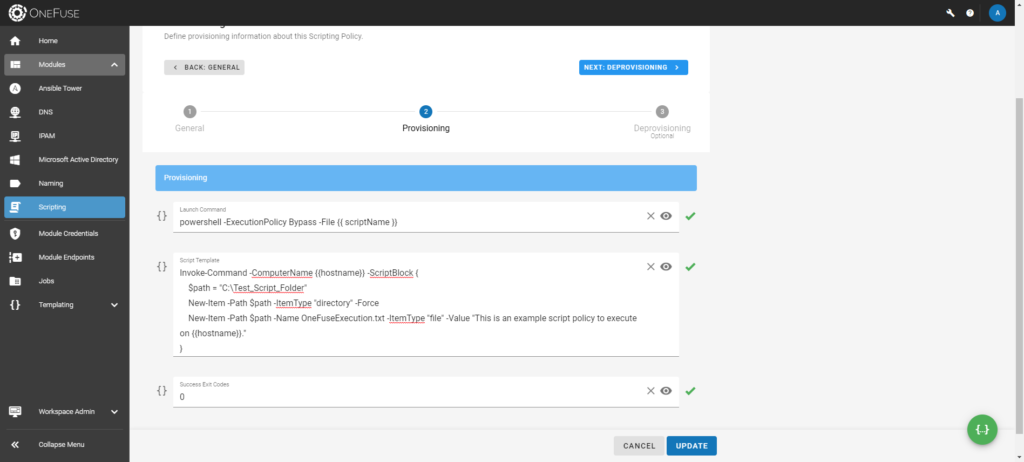
- In the OneFuse Scripting Policy copy and paste the following script into the “Launch Command” field -
powershell -ExecutionPolicy Bypass -File {{ scriptName }} - In the One Fuse Scripting Policy copy and paste the following script into the “Script Template” field - Note: This uses basic PowerShell Remoting to the Target server (assumes passthrough authorization)
Invoke-Command -ComputerName {{OneFuse_VmNic0.hostname}} -ScriptBlock {
    # Initial Variables
    $OSVersion = (Get-WmiObject -class Win32_OperatingSystem).Caption
    # Logging
    $Log = "C:\SovLabs\Uninstall.txt"
    if ($OSVersion -match 2019) {
        Remove-WindowsCapability -Online -Name OpenSSH.Server~~~~0.0.1.0
        # Rebooting Server
        shutdown /r /f /t 60
    } else {
        Start-Process powershell -ArgumentList "C:\OpenSSH\OpenSSH-Win64\uninstall-sshd.ps1" -Wait -Verbose -RedirectStandardOutput $Log
        $Service = Get-Service -Name sshd -ErrorAction SilentlyContinue
        if ($Service) {
            throw "Failed to uninstall SSH"
        }
        # Checking if Firewall exists
        $FirewallRule = Get-NetFirewallRule -Name sshd -ErrorAction SilentlyContinue
        if ($FirewallRule) {Remove-NetFirewallRule -Name sshd -ErrorAction SilentlyContinue}
        # Removing Directory
        $OpenSSHDir = Get-Item -Path "C:\OpenSSH" -ErrorAction SilentlyContinue
        if ($OpenSSHDir) {Remove-Item "C:\OpenSSH" -Recurse -Force -ErrorAction SilentlyContinue}
    }
}
Add Scripting Policy to Blueprint/Cloud Template
Once the property is added to your blueprint, you’re ready to test the SSH uninstall. For more information, see the links below in the Additional Information section.

.ugb-6ee5e7f hr.ugb-divider__hr{margin-left:auto !important;margin-right:auto !important}