

The AWS-native shape I actually start with
API Gateway, Lambda, Cognito, RDS+pgvector, Bedrock, S3, EventBridge, SQS, CloudFront, CloudWatch. The smallest cloud shape that actually ships.

If you've ever bought a house, you know the difference between a builder who shows up with a sketch on a napkin and one who shows up with a real plan. The napkin guy gets stuck halfway through, discovers he forgot a load-bearing wall, and the project takes twice as long and costs three times as much. The plan guy doesn't move faster on day one, he moves faster on day thirty, because nothing surprises him.
The cloud architecture for an AI product is the same. There's a "napkin" version where you start with a Lambda function and a Postgres database and figure out the rest as you go. It works for a weekend. It does not work for a customer-facing product. And the cost of retrofitting auth, multi-tenancy, audit, and event-driven workflows into a napkin architecture is the most predictable cost overrun in software.
This piece is the real plan. It's the cloud architecture I start with on day one, every time, for an AI-integrated MVP. It uses managed AWS services only, no custom-built infrastructure, no Kubernetes, no self-hosted anything. Native pieces, glued together the way AWS expects them to be glued.
Why native and not custom: an MVP team does not have time to operate infrastructure. Every hour you spend keeping Kubernetes running is an hour you didn't spend on the consultant's captured judgment or the product loop. Native services are more expensive per unit of compute and dramatically cheaper per unit of operator attention. For an MVP, operator attention is the scarce resource.
This is piece 4 in the series. The previous piece covered why the split between cloud and local makes sense. This is the cloud side, in detail. The next piece is the Mac Studio side.
The box-and-line version
Here's the whole thing in plain English, then I'll go through each piece.
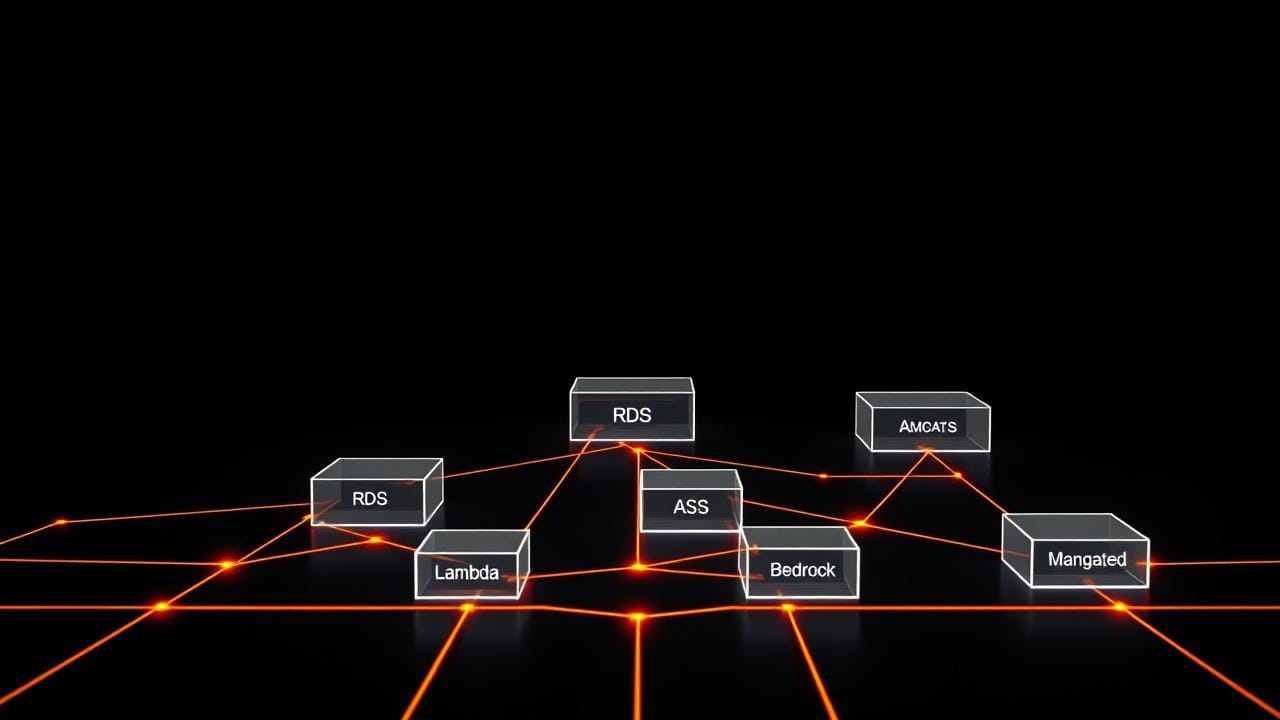
A customer hits a public URL. CloudFront serves the static assets and forwards API calls to API Gateway. API Gateway authenticates the request against Cognito and forwards it to Lambda. Lambda reads or writes from RDS (which holds both relational data and embeddings, thanks to a pgvector extension). For inference, Lambda calls Bedrock with a prompt that includes context retrieved from RDS and (sometimes) files from S3. Anything async (a fine-tune kicked off, a batch summarization, a long-running diagnosis) gets dropped on SQS for the local side to pick up, or scheduled via EventBridge. Every request, every decision, every approval logs structured events to CloudWatch and writes an audit row to RDS.
Ten services. Each does one thing. None of them require you to manage a server.
Let me walk through them.
The customer's first hop: CloudFront + API Gateway
CloudFront is a content delivery network, it caches your static assets at edge locations close to the customer, so the page loads fast no matter where they are. (If you want to look it up later, this is called a CDN.) Even for an "API-first" AI product, you have a marketing site, an onboarding flow, a consultant-facing dashboard, all of which are static. Put them behind CloudFront and the first impression is fast.
API Gateway sits in front of every API call. It does three things you don't want to write yourself: it handles HTTPS termination, it enforces auth via Cognito, and it routes the request to the right Lambda function. It also gives you basic rate limiting for free, which is the cheapest defense against a customer (or a bot pretending to be a customer) hammering your endpoints.
The thing people undersell about API Gateway is that it gives you a clean place to enforce per-tenant rate limits. When you start onboarding multiple consultants, each on their own plan, you'll want to throttle different tenants at different rates. API Gateway has primitives for this. Build it in from day one.
Identity: Cognito
Cognito handles user accounts, sign-in, sign-up, password resets, and federated login (Google, Apple, whatever your customers expect). The reason to use it on day one is not because user management is hard (though it is) but because multi-tenant identity is hard, and Cognito has primitives for it that are painful to retrofit.
Multi-tenant means each customer who signs up belongs to a tenant (usually the consultant's practice) and the data they create is scoped to that tenant. A legal pro's contract reviews must never, ever leak into a marketing strategist's positioning sessions. Cognito groups, claims, and custom attributes give you the building blocks. The next piece in the series, auth and multi-tenancy from day one, walks through the exact setup.
Skipping this on day one is the most expensive thing you can do. Every shortcut becomes a security incident later.
The data store: RDS Postgres + pgvector
I keep arguing for one data store, not two. A lot of AI architectures use one database for relational data (customers, sessions, audit logs) and a separate vector database for embeddings (the captured judgment, in a form the AI can retrieve from). That's two systems to back up, two systems to keep in sync, two systems to credential, two systems to monitor.
You don't need two. Postgres has an extension called pgvector that does vector similarity search inside the regular database. (Vectors are how you store text as numbers, so the AI can find "things kind of like this thing"; the technique is called RAG, retrieval-augmented generation, if you want to look it up later.) For an MVP, pgvector is fast enough. It only stops being fast enough when you have millions of embeddings, which is a problem from a future you will be glad to have.
RDS is the managed Postgres service. AWS handles backups, replication, patching, encryption at rest. You handle schema and queries. The trade is excellent.
There's a longer piece on this, the data layer, that goes into pgvector specifics, secrets management with Secrets Manager, and the KMS keys that encrypt everything. For now: one store, managed, pgvector enabled.
Compute: Lambda
Lambda runs your code on demand. You don't own a server. When a request comes in, AWS spins up a function, runs it, and shuts it down. You pay per millisecond of execution.
For an AI MVP, Lambda is right almost always. The traffic is bursty (customers don't query at a steady rate). The functions are short (the bulk of the latency is the call to Bedrock anyway). And the cost shape is friendly, when nobody's using the product, you pay nothing. When a thousand customers query simultaneously, AWS scales it up for you and you pay for what you use.
The two things people stumble on with Lambda: cold-start latency (the first request after a quiet period takes longer because AWS has to spin up a fresh function), and the 15-minute execution limit. Cold-start latency you handle with provisioned concurrency on the customer-facing functions, pay a bit to keep some warm. The 15-minute limit you handle by not running long jobs on Lambda. Long jobs go on the local side via SQS.
Inference: Bedrock
Bedrock is AWS's hosted-model service. You pay per token to call models that are already running and hot. The current shape I default to: Claude Sonnet for the main diagnostic work, Haiku for cheaper routing and triage tasks, Opus for the rare hard cases. Llama on Bedrock for cost-sensitive paths where the quality difference doesn't matter for the use case.
The reason to use Bedrock instead of calling Anthropic or OpenAI directly is that everything stays inside your AWS account. No data leaves. No separate billing. No separate vendor relationship. For an MVP, that simplicity is worth more than the slight price difference vs. going direct.
When the captured judgment is mature enough to fine-tune a small custom model, that model gets trained on the Mac Studio side, uploaded to S3 as a weights artifact, and you call it from Lambda using the appropriate runtime. The choice between "hosted Bedrock model with retrieval" and "custom fine-tuned model" gets its own piece later in the series.
Artifact storage: S3
S3 holds everything that isn't structured rows. Model weights. Training data. Eval sets. Transcripts. Customer-uploaded files. Generated images. Marketing assets. The full audit log archives (after they age out of CloudWatch).
S3 is the cheapest, most durable, most useful service AWS sells. Use it for everything. The patterns that work: one bucket per top-level concern (artifacts, customer-uploads, audit-archive), folder structure by tenant within each bucket, lifecycle rules to move old data to cheaper storage classes automatically.
The event bus: EventBridge + SQS
This is the wiring most teams skip and regret.
EventBridge is a scheduler. It fires events on a cron-like schedule, or in response to other events. "Every Sunday at 2am, kick off the weekly fine-tune job." "When a new audit row crosses the high-confidence threshold, fire an event to trigger the auto-resolve flow."
SQS is a queue. Things get put on it, things take them off it. The local Mac Studio polls SQS for work to do. Long-running Lambda jobs go through SQS so they don't block the customer-facing path.
Together, EventBridge and SQS give you the event-driven wiring that an AI product needs from day one. Async, retries, dead-letter queues for the messages that fail repeatedly, all managed for you. Building this yourself is a six-month side quest. Using the managed primitives is two afternoons.
Logs and audit: CloudWatch
CloudWatch holds structured logs and metrics. Every Lambda invocation, every API call, every Bedrock token-count, every error, all goes to CloudWatch automatically if you use the standard SDKs. You add custom structured events for the business-meaningful things: "tenant X submitted query Y, AI proposed Z, consultant approved/rejected with reason W."
The audit story is more than CloudWatch, though. The audit table itself lives in RDS, because audit rows are queryable structured data and you'll be answering questions like "show me every approved-without-review decision in the last 30 days for tenant X." That's a SQL query, not a log search.
There's a whole piece in the series on this, observability and audit, not later, because the audit story is the single most common thing teams bolt on after the fact and regret. Build it on day one.
Why native beats custom for an MVP
Here's the case I keep making to teams who want to use Kubernetes or build their own queue or self-host their database.
You will, eventually, outgrow some of these managed services. RDS won't scale forever. Lambda has limits. CloudWatch gets expensive at scale. That's fine. You don't have those problems yet, and you might never have them. The team that builds the custom version on day one is the team that runs out of money before they get to the problem the custom version solves.
Native services let one developer hold the whole system in their head. The interfaces are well-documented. The failure modes are public. The hiring market knows them. There is almost nothing about running an AI MVP that requires anything beyond what AWS offers natively.
The exception, of course, is the local Mac Studio side. That's not on AWS, on purpose, covered in the next piece. But the cloud side is all native, all managed, all the time, until you have a specific reason to break the rule.
The smallest version that ships
If I were starting an MVP tomorrow, this is the order:
- Stand up CloudFront in front of a static site (your marketing page).
- Create the Cognito user pool with tenant groups configured.
- Provision RDS Postgres, enable pgvector, create the audit table.
- Wire API Gateway → Lambda → RDS, with Cognito auth on the gateway.
- Add the first Bedrock-calling Lambda function for the customer query.
- Set up S3 buckets for artifacts and uploads.
- Wire EventBridge for the nightly scheduled jobs and SQS for async work.
- Configure CloudWatch dashboards for the metrics that matter.
That's the cloud side, complete, deployable in a week by one person who knows AWS. Every piece is managed. Every piece scales. Every piece has audit and encryption built in. From here you add the captured-judgment retrieval, the consultant review queue, and the fine-tune feedback loop, but the bones are in place and they will not need to be replaced.
Tomorrow's piece is the Mac Studio side, with the actual installation and a cost breakdown vs. the AWS bill you'd otherwise be paying.