

Why I built my own cluster
It isn't a cluster in the data-center sense. It's a small, deliberate setup, a Mac Studio for inference, a Mac mini for the always-on services, fast portable SSDs at the working ends, and a real NAS underneath. Worth being honest about what it is and what it isn't.

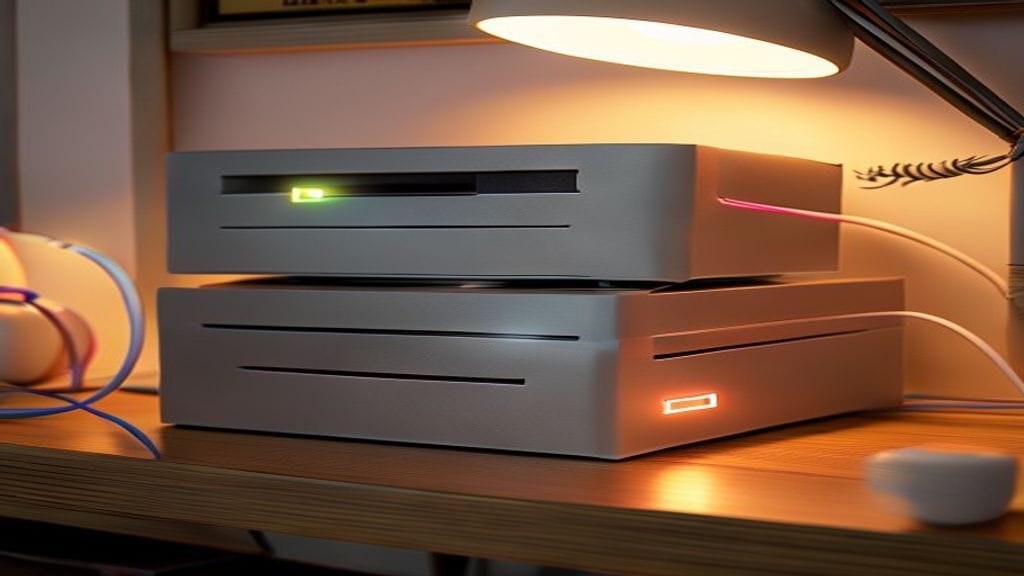
Calling it a "cluster" is generous. It's a small, deliberate setup on a shelf in the office: one Mac Studio doing the language and image inference, a Mac mini handling the always-on lighter services, a Synology NAS underneath the whole thing, and a couple of fast portable SSDs at the working ends. Each box has a job; none of them pretends to be more than it is. The shape came out of the local-first calculation playing out for the workloads I run, where the cloud answer kept losing on a few specific dimensions and the obvious moves added up to "buy the right tool for each job."
Worth being honest about what's actually on the shelf, what each box is for, and what I'd do differently if I were starting now.
What's actually on the shelf
The hardware:
- core-01. Mac Studio (M4 Max, 64 GB unified memory). The inference machine. Came in March 2025 when the M4 Max Studio shipped. Runs the local language models that fit in 64 GB at 4-bit (roughly the 70 B-class and below), plus image generation. Dedicated. I don't sit at it. A 4 TB SanDisk Pro M.2 portable is plugged into the back as fast working storage for model loads and scratch.
- node-01. Mac mini (M4, 16 GB). The always-on services box. Runs Kokoro for text-to-speech, a Whisper instance for transcription, an OCR pipeline for documents, and the embedding generator for the indexing jobs. Small, cool, quiet, sips power. Sits on a shelf and isn't a thing.
- store-01. Synology DS1019+ with 36 TB of hybrid storage plus 8 TB of SSD in front of it for write-cache and metadata performance. The NAS plus the platform-services box. Holds the model weight cache, the dataset snapshots, the backup targets, the indexed-document store. Also runs Forgejo (the self-hosted git server), n8n (for workflow automation), and a Forgejo Actions runner (for CI/CD) as containers via DSM's Container Manager. Not glamorous; the most important box in the rack because losing it would hurt the most.
- laptop-01. MacBook Pro (M4 Pro, 48 GB). The workstation. Where I actually do the work. A second 4 TB SanDisk Pro M.2 portable is attached for project working storage and the offline-fallback model copies. Carries enough local capacity to keep working on a flight or in a coffee shop without losing access to the personal AI assistant.
- Ubiquiti UDM-Pro plus a small switch for routing. Nothing fancy. Gigabit to most of it; the Studio and the NAS get the faster paths because they're the ones that benefit.
- A modest UPS with managed shutdown for the Studio, the mini, and the NAS.
Total capital outlay over the time it took to assemble this: closer to $11K than to a data-center number. The Mac Studio and the Synology (with the storage in it) are the largest line items; the M.2 portables and the mini round it out.
That's a number that's a lot for a home office and not enough for a small enterprise. The point of mentioning it is to set the scale honestly, this isn't a hobbyist build and it isn't a serious capex story.
What each box is actually for
The roles, written down because I keep having to explain them:
core-01 (Mac Studio), inference. Language model serving for what fits in 64 GB at 4-bit (roughly the 70 B-class). Image generation via FLUX. Anything where the workload is "model weights have to be in fast memory and the user is waiting for an answer." The Studio is the right shape for this, unified memory, MLX backend, low idle power, low noise. The attached SanDisk Pro M.2 is the fast scratch for model swapping and intermediate state.
node-01 (Mac mini), always-on lighter services. Kokoro TTS for voice output. A Whisper instance for transcribing meeting recordings and voice notes. An OCR pipeline for the document-scanning jobs. The embedding generator that the indexing pipelines call into. None of these workloads need the Studio's capacity, they need a small dedicated box that's always reachable. The mini is the right shape: small enough and quiet enough to sit on a shelf, capable enough to run all of these services concurrently as long as the loads are sequential rather than simultaneous.
store-01 (Synology DS1019+), the disk plus the platform services. Model weights live here. Dataset snapshots live here. Backup targets live here. The indexed-document store lives here. The 36 TB of hybrid storage gives me real headroom for the cached model menu plus a lot of snapshot history; the 8 TB of SSD in front of it eats the write spikes from indexing jobs and the metadata-heavy operations the spinning disks would be slow at. On top of all that the Synology runs three small containers. Forgejo for the self-hosted git server, n8n for workflow automation, and a Forgejo Actions runner for CI/CD. None of them is heavy; the NAS being always-on anyway makes it the right home for them.
laptop-01 (MacBook Pro), workstation, with offline fallbacks. I do the actual work here. The portable SanDisk Pro M.2 holds working project files plus the offline-fallback model copies, the smaller models I'd want to keep working with if I weren't on the home network. The fallbacks are for the case where I'm not on the home network and still want the AI tooling to work.
The shape is: each box does the thing it's best at. The Studio doesn't try to be an always-on lightweight services box; the mini doesn't try to be a frontier-tier inference engine; the NAS does what NASes are for; the M.2 portables are the fast working storage at the points where the working storage has to be fast. That discipline is what makes the setup quiet to operate.
What it isn't doing
The honest list of workloads this setup doesn't handle:
- The actual frontier of capability. Hard analytical work where the marginal capability of Claude Opus 4 or GPT-4.1 matters. Those still go to hosted APIs, paid by the call.
- The biggest open-weights models. DeepSeek V3 671B, Llama 4 Maverick at full precision, the giant Qwen variants, none of those fit in 64 GB. The Studio runs the workhorse-tier open-weights models that actually fit; the giants stay hosted.
- Production multi-tenant inference at scale. I don't have the redundancy, the monitoring, or the operational discipline to serve real users from this. If I had a production system, those users would be served by hosted inference, not by my office hardware.
- Long-running agent workloads. The infrastructure for proper agent supervision and resumability isn't here. The setup runs short and medium agentic workloads well; the long-running case still needs platform investment I haven't made.
The setup occupies a specific niche: privacy-bound personal-AI workloads, local always-on services for transcription and document handling, light inference for OCR and embeddings, and offline workstation fallback. Outside that niche, the cloud is still the right answer.
What I'd do differently
If I were starting today rather than assembling this over a couple of years:
- I'd budget the Studio with more unified memory. 64 GB is fine for the workhorse-tier models I actually run, but the Studio's lifecycle is going to be five years and the model line keeps growing. 96 or 128 GB would have been the more durable choice. (Cost difference: meaningful, not enormous.)
- I'd buy the M.2 portables sooner. The fast, hot-swap working storage at the Studio and the laptop changed how comfortable certain workflows are (model swapping, working-set caching, project scratch) in a way I underweighted before having it. Two of the same drive on two machines is also the cheapest "I can move the working set between machines" answer there is.
- I'd put more SSD in front of the NAS earlier. The 8 TB SSD cache is what makes the 36 TB hybrid pool feel responsive; without it, indexing jobs and model-cache reads would feel like they were running on spinning rust. Adding it after the fact is fine; specifying it from day one would have saved a re-shuffle.
- I'd think about the mini's memory budget more carefully. 16 GB is enough for the always-on services as long as I keep them sequential, but it's tight. A 24 or 32 GB mini would let me run more concurrently without the careful scheduling. Worth considering on the next refresh.
- I'd write the inference gateway first. What turned this from "machines I can SSH into" into something I'd call a setup was the small router that fronts the inference layer and presents an OpenAI-compatible API to everything else in the office. Should have started there.
The honest cost-benefit
The setup pays back in two ways: directly, by replacing a chunk of what would otherwise be a hosted-inference bill (single-digit hundreds of dollars per month, mostly batch and async work plus the privacy-bound transcription that wouldn't have been hosted at all), and indirectly by enabling workloads I wouldn't have run at all because the privacy or volume math didn't work hosted. The indirect benefit is the larger one and the harder to quantify.
The financial break-even on capital is several years out at the direct level. As a "build the thing you want to use" case, the calculation is different, the setup lets me run experiments and personal-AI workloads I couldn't have run otherwise, and the value of those is the actual point.
The shop math doesn't generalize. For most teams the right answer is still hosted, with the tier of GPU access that matches the workload. The home-office math is more permissive because the workloads are different and the operational tolerance is different. I wouldn't recommend this exact build to most people; I would recommend running the local-vs-cloud analysis honestly for your own workloads and seeing where the line falls.
For me, the line fell on the local side for enough work that the setup made sense. Some months in on the M4 Max Studio specifically, longer on the mini and the NAS, no regrets, a clearer view of what "home AI infrastructure" actually requires, and a slightly noisier office.